

How to Use WhatsApp Business to Close More Deals in Nigeria
To effectively close more deals in Nigeria using WhatsApp Business, start by setting up a professional business profile that reflects your brand’s identity. Include a clear logo, concise description, and essential details like location and hours. Creating a product catalogue helps customers easily browse products without constant messaging. Utilize the Status feature to share promotions, instilling urgency with limited-time offers. Engaging customers through broadcast lists allows for mass communication about updates or discounts. Automating responses can enhance customer experience by providing timely replies. Additionally, strategically follow up on discussions while organising contacts with labels for better management of interactions.
Table of Contents
- Create a Product Catalogue
- Utilize WhatsApp Status for Promotions
- Engage Customers with Broadcast Lists
- Automate Responses for Quick Service
- Organize Customers Using Labels
- Build Trust Through Consistent Communication
- Follow Up Strategically
- Create Urgency with Timely Reminders
- Integrate WhatsApp with Other Channels
- Leverage WhatsApp Payments for Transactions
- Archive Non-Essential Chats
- Avoid Spamming and Respect Privacy
- Monitor Customer Engagement
- Test and Refine Your Approach
- Frequently Asked Questions
2. Create a Product Catalogue
 Credits: blog.flipsnack.com
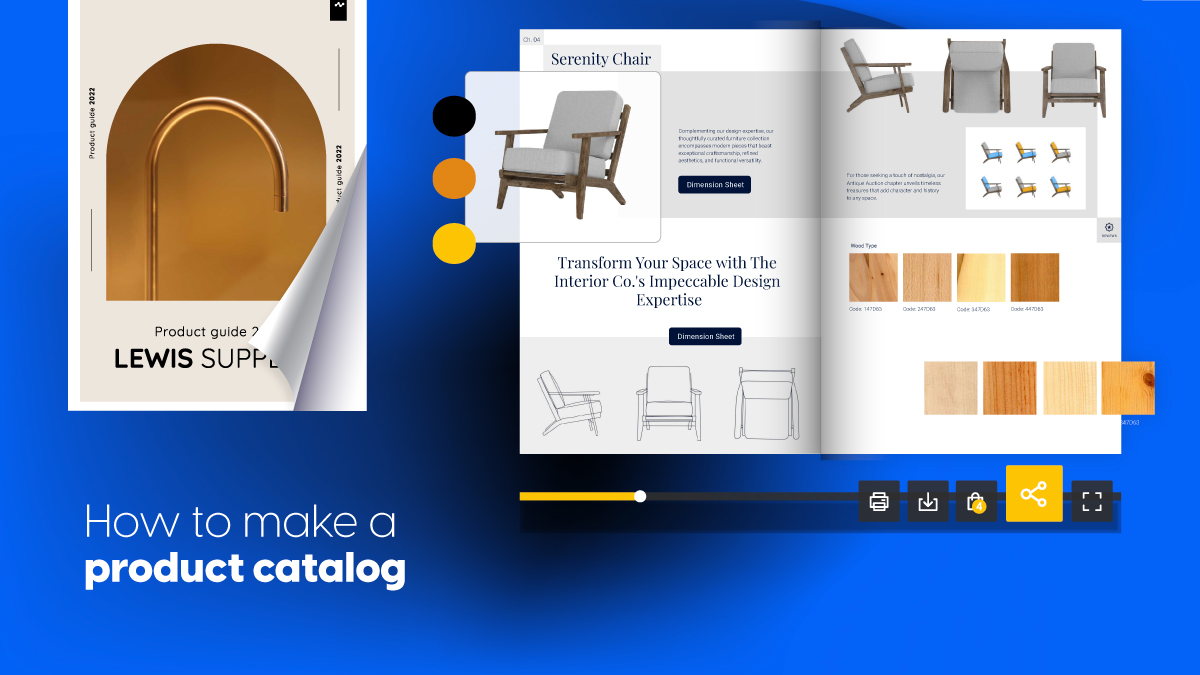
Creating a product catalogue on WhatsApp Business can significantly enhance your sales process. This feature allows you to upload product images, prices, descriptions, and product codes, making it easier for customers to browse your offerings without the need for multiple messages. For instance, if you sell Ankara fabrics, a well-organised catalogue can streamline the ordering process by letting customers view and select items at their convenience. To make your catalogue effective, ensure you regularly update it to include new products and remove any that are no longer available. High-quality images are essential to showcase your products effectively, as they can entice customers and give them a better understanding of what they’re purchasing. Adding relevant tags to your products can also enhance searchability within the catalogue, making it easier for customers to find what they need. Encourage customers to ask questions about specific products directly through the catalogue, fostering engagement and helping them make informed decisions. Additionally, you can use the catalogue to highlight bestsellers or seasonal offerings, increasing visibility for these items. To further promote your catalogue, consider sharing it through WhatsApp Status, reaching a wider audience. Moreover, creating themed catalogues for special occasions or holidays can attract more interest and drive sales.
| Feature | Benefits |
|---|---|
| Upload product images, prices, descriptions, and product codes. | Allows customers to browse offerings without needing multiple messages. |
| Streamlining the process for businesses selling items like Ankara fabrics. | Facilitates easier ordering. |
| Regularly updating your catalogue. | Keeps potential customers informed about new products or discontinued items. |
| Using high-quality images. | Showcases products effectively. |
| Adding relevant tags to products. | Enhances searchability within the catalogue. |
| Encouraging customer inquiries through the catalogue. | Fosters engagement with potential buyers. |
| Highlighting bestsellers or seasonal offerings. | Increases focus on popular items. |
| Promoting the catalogue via WhatsApp Status. | Increases visibility of the product range. |
| Creating themed catalogues for special occasions or holidays. | Engages customers through timely and relevant offerings. |
3. Utilize WhatsApp Status for Promotions
 Credits: dochipo.com
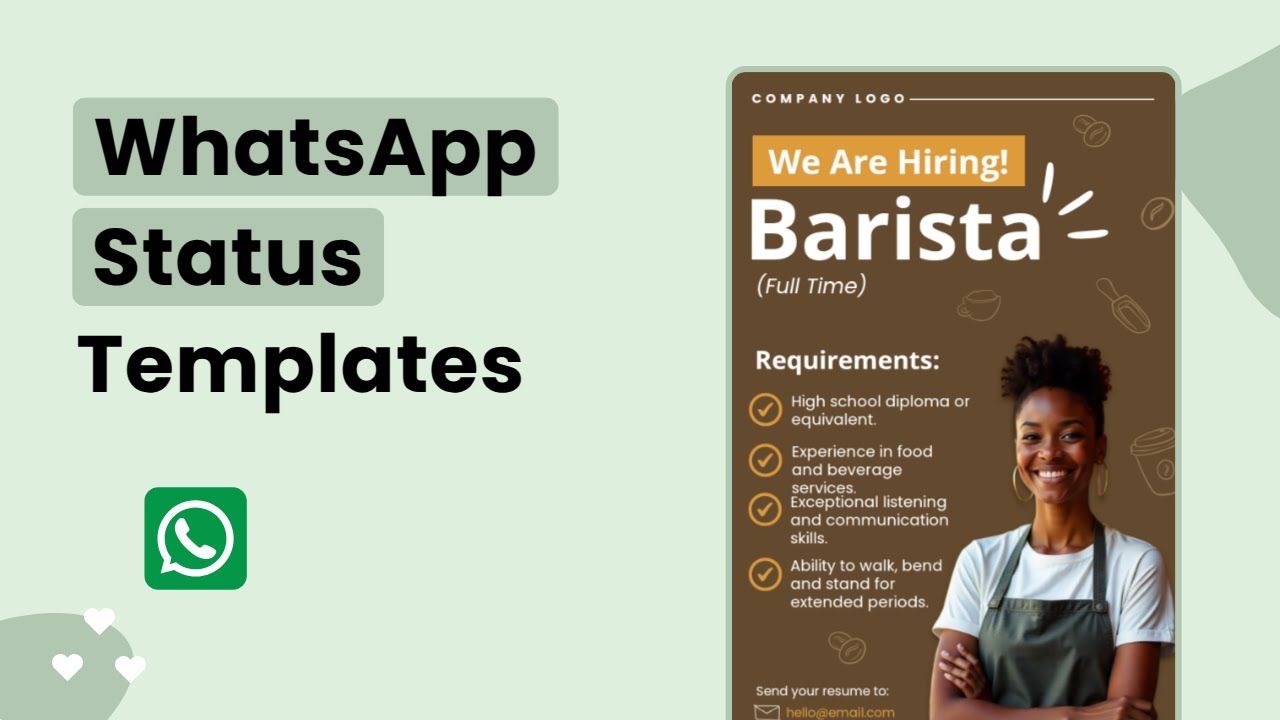
WhatsApp Status is an effective tool for sharing time-sensitive promotions and updates with your customers. Since many individuals frequently check WhatsApp, your updates are likely to be seen, increasing engagement with your offers. To create urgency, consider posting messages like “Only 20 pieces left!” or “Promo ends tonight!” to encourage quick action from customers. Incorporating engaging visuals or videos in your Status can also help capture attention and make your promotions more appealing.
To maintain customer interest, regularly post reminders about upcoming promotions or special offers. Encourage your customers to share your Status updates with their contacts to expand your reach and attract new potential buyers. You can also utilise the polling feature in your Status to engage customers and gather valuable feedback on what they want to see more of.
For major sales events, consider adding a countdown timer in your Status, which can heighten anticipation and motivate customers to act swiftly. Always include clear calls to action, directing customers on how to take advantage of your offers. Finally, review the performance of your Status updates to learn what works best and refine your future promotions accordingly.
- Use Status to share time-sensitive promotions and updates.
- Customers are more likely to see these updates as they check WhatsApp frequently.
- Create urgency by posting limited-time offers like ‘Only 20 pieces left!’ or ‘Promo ends tonight!’
- Use engaging visuals or videos in your Status to capture attention.
- Post reminders about upcoming promotions to maintain customer interest.
- Encourage customers to share your Status updates to reach a wider audience.
- Utilise polls in your Status to engage customers and gather feedback.
- Consider a countdown timer for major sales events.
- Use clear calls to action in your Status, directing customers on how to take advantage of the offers.
- Review the performance of your Status updates to optimise future promotions.
4. Engage Customers with Broadcast Lists
 Credits: interakt.shop
Broadcast lists on WhatsApp Business allow you to send messages to multiple contacts simultaneously, but it is essential that these contacts have saved your number to receive your broadcasts. This feature is particularly useful for making announcements about new arrivals, discounts, or important updates that your customers would find valuable. To maximise the effectiveness of your broadcasts, consider segmenting your lists based on customer preferences or buying behaviour. For instance, if you run a clothing store, you might have separate lists for customers interested in men’s, women’s, or children’s clothing.
Personalising your messages within these broadcasts can significantly enhance customer engagement. Instead of sending a generic message, you could address your customers by name or tailor the content to reflect their interests. However, it is important to avoid excessive messaging, as this can lead to annoyance. Respect your customers’ time and preferences by ensuring that your broadcasts are relevant and timely.
Encouraging customers to opt-in for your broadcasts can help create a willing audience, making them more receptive to your messages. Monitoring the response rates of your broadcasts will allow you to refine your approach based on what resonates with your customers. Including exclusive offers in your broadcasts can also incentivise customers to engage further.
Finally, consider providing options for customers to update their preferences regarding the types and frequency of broadcasts they receive. This not only shows that you value their input but also helps to maintain a positive relationship with your audience.
5. Automate Responses for Quick Service
 Credits: vecteezy.com
Setting up automated responses in WhatsApp Business can significantly enhance customer service. You can create greeting messages to welcome customers, away messages to inform them when you are unavailable, and quick replies for frequently asked questions. This ensures that customers receive timely information, which builds their trust in your business. It’s crucial to regularly review and update these automated messages to keep the content fresh and relevant. For example, if you notice that many inquiries are about delivery times, you might want to create a specific automated response addressing this topic.
Incorporating keywords that customers commonly use can trigger precise automated replies, making the interaction smoother. A touch of humour or a friendly tone can also make these messages more engaging, as long as it aligns with your brand image. Additionally, you can direct customers to a FAQ section for quick answers, which can save time for both parties. Testing these messages is vital to ensure they work correctly, and having a system for human follow-up on more complex inquiries can further enhance customer satisfaction.
Educating customers about the automated responses can manage their expectations, making them aware that they will receive immediate assistance for common inquiries. Finally, using analytics to track how well these automated responses are performing can provide insights into customer engagement and help you refine your approach over time.
6. Organize Customers Using Labels
 Credits: hazelwhicher.co.uk
Using labels in WhatsApp Business is an efficient way to categorise customers according to their status, such as new customers, pending payments, or VIPs. This systematic organisation aids in tracking conversations and allows for timely follow-ups. It is advisable to regularly update these labels to ensure they accurately reflect each customer’s current status. Colour-coded labels can enhance visual identification, making it easier to differentiate between categories at a glance. Additionally, consider creating specific labels for marketing campaigns or events, which can help in targeting communications effectively. It is crucial to train your team on the consistent use of labels to improve overall communication. By segmenting customers through labels, you can tailor promotions and offers to meet their specific needs. Periodically review the effectiveness of your labelling system to assess how it impacts customer engagement. Keeping the labelling system simple and intuitive will encourage its use. Moreover, combining labels with broadcast lists can enhance your outreach efforts, ensuring that messages are relevant and timely for each customer segment.
7. Build Trust Through Consistent Communication
 Credits: shutterstock.com
To foster trust with your customers on WhatsApp Business, consistent communication is essential. Regularly share customer testimonials and updates to showcase positive experiences and build credibility. Engaging with customers through personalised messages and ensuring quick responses to their inquiries can significantly enhance their perception of your brand. Creating a content calendar will help you maintain regular communication, ensuring your audience receives valuable insights without feeling overwhelmed.
It is crucial to respond to customer feedback promptly, as this demonstrates that you value their opinions and are committed to improving their experience. Maintaining a consistent tone of voice across all communications helps reinforce your brand identity and makes your messaging more relatable. Sharing behind-the-scenes content also adds a personal touch, allowing customers to connect with your brand on a deeper level.
Encouraging customers to share their experiences with your brand can create a community atmosphere, further enhancing trust. Incorporating storytelling in your communications makes your messages more engaging and relatable. Additionally, providing informative content related to your industry positions you as a knowledgeable leader in your field. Finally, monitoring customer sentiment will enable you to adapt your communication strategy, ensuring it remains aligned with your audience’s needs and preferences.
8. Follow Up Strategically

Following up with potential clients is essential for closing deals effectively. After your initial conversation, make it a practise to send follow-up messages that summarise the discussions, action items, and any deadlines. This not only shows professionalism but also keeps the conversation alive. You can take advantage of WhatsApp’s voice-to-text feature for quick and efficient communication, allowing you to convey your thoughts without delay.
To ensure you don’t miss any follow-ups, set reminders that prompt you at the appropriate times. Tailoring your follow-up messages based on previous interactions can significantly enhance engagement. For example, if a client expressed interest in a specific product, mention it in your follow-up to show you were attentive to their needs.
Use follow-ups as an opportunity to provide additional value or information, perhaps sharing relevant articles or updates related to their interests. However, it is equally important to avoid being overly persistent; respect the customer’s time and decisions. Timing matters as well, so consider the preferences of your customers when planning your follow-ups.
After a sale, follow-ups can serve as a means to gauge customer satisfaction. Encouraging feedback in these messages can help you improve future interactions. Lastly, tracking the outcomes of your follow-ups will allow you to refine your approach, making your subsequent communications even more effective.
9. Create Urgency with Timely Reminders
 Credits: onpipeline.com
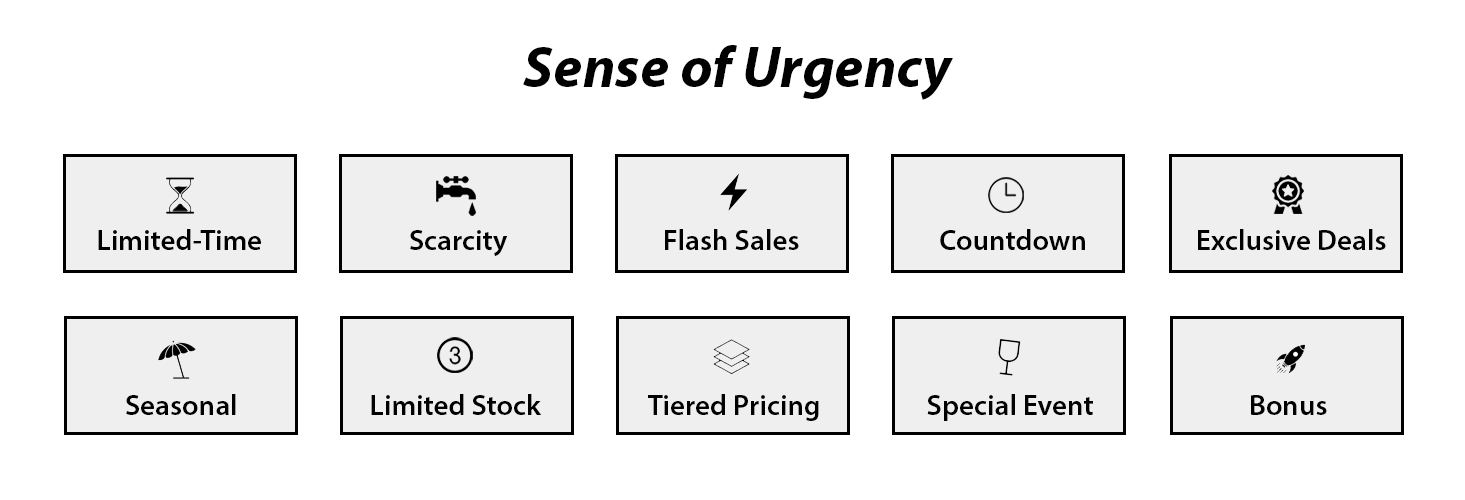
To effectively close more deals using WhatsApp Business, creating urgency through timely reminders is essential. You can send reminders for ongoing promotions or deadlines that are fast approaching. Tailoring messages to individual customer behaviours, such as reminding someone about an abandoned cart, can significantly increase the likelihood of conversion. It is important to use clear and concise language in these reminders, ensuring that the message is easily understood.
Timing also plays a crucial role; consider when your customers are most likely to engage, such as during lunch breaks or after work hours, to maximise the effectiveness of your reminders. Incorporating a strong call to action can prompt immediate responses, encouraging customers to take advantage of your offers without delay.
To keep your reminders fresh and engaging, vary your messaging style. You might include visuals, such as attractive images or graphics, to make the reminders more eye-catching and appealing. Monitoring the effectiveness of your reminders is vital; analyse response rates and adjust your strategies as necessary to improve outcomes.
Encouraging customers to set their own reminders about your promotions can also create a sense of urgency. Additionally, instilling a feeling of exclusivity in your reminders, such as highlighting limited availability, can entice customers to act quickly.
10. Integrate WhatsApp with Other Channels
 Credits: runo.ai
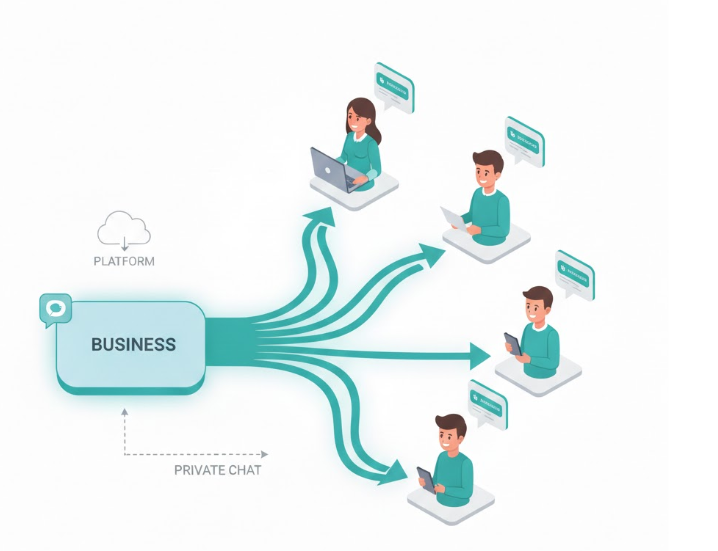
Integrating WhatsApp with other social media platforms like Instagram and Facebook can significantly enhance your outreach. By including your WhatsApp link in your bios and posts, you guide potential customers directly to your WhatsApp chat, making it easier for them to connect with you. Cross-promotion strategies can also be effective; for instance, if you have a following on Instagram, encourage them to reach out on WhatsApp for exclusive offers or personalised assistance. Consider running combined campaigns that leverage the unique strengths of each platform, such as using Instagram for visually appealing content while directing traffic to WhatsApp for direct sales and customer service. Maintaining consistent engagement across all channels helps create a unified brand experience, making customers feel valued and connected. Additionally, monitor customer interactions across these platforms to optimise your engagement strategies. Use analytics from each platform to inform your WhatsApp approach, including promoting exclusive offers available only through WhatsApp, which can entice followers to contact you on that channel. Encouraging satisfied customers to share your WhatsApp contact with their networks can also expand your reach, creating a seamless transition for customers as they move between different channels.
11. Leverage WhatsApp Payments for Transactions
 Credits: sinch.com
To enhance your transaction process on WhatsApp Business, it is essential to enable and correctly set up WhatsApp Payments within your account settings. This feature allows for seamless transactions, reducing the friction often associated with payment processes. Educating your customers on how to use the payment feature is vital; providing clear instructions on payment procedures can eliminate any confusion and ensure a smooth transaction experience.
Offering multiple payment options within WhatsApp caters to different customer preferences, making it easier for them to complete their purchases. Prompt communication of payment confirmations builds trust, reassuring customers that their transactions are secure and successful. Additionally, using WhatsApp Payments for managing refunds or exchanges can streamline your customer service, making it more efficient.
Monitoring transaction history through the app also aids in better financial management, allowing you to keep track of sales and customer interactions. Integrating payment links within your product catalogue can facilitate quick sales, enabling customers to make purchases with just a few clicks. To encourage the use of WhatsApp Payments, consider promoting exclusive offers for transactions made through the app. Finally, highlighting the security measures in place will reassure customers about the safety of their transactions, further enhancing their trust in your business.
12. Archive Non-Essential Chats
 Credits: indianexpress.com
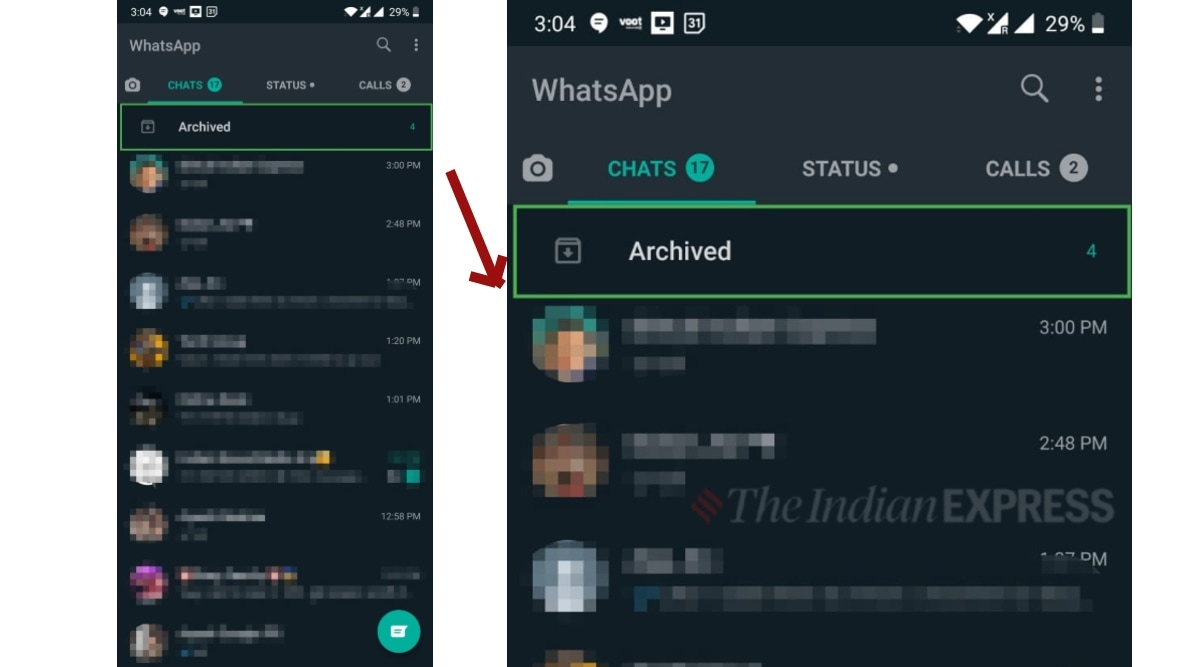
Regularly reviewing your chat list is essential to identify conversations that are no longer active. By archiving chats that do not need immediate attention, you can maintain focus on priority messages, which is crucial for closing deals. The archive feature helps keep your WhatsApp workspace tidy and organised, making it easier to navigate important communications. Educating your team on the importance of archiving can significantly enhance overall efficiency, as it ensures that everyone is on the same page regarding active inquiries.
Setting a schedule to clean up your chat list, perhaps on a weekly or monthly basis, can help develop a habit of prioritising urgent matters. Before archiving, consider using labels to mark important chats, allowing for easy retrieval when needed. Additionally, you can encourage customers to initiate new conversations for active queries rather than reopening old chats. This practise not only streamlines communication but also fosters a fresh dialogue.
It’s important to provide a clear process for unarchiving chats when necessary to avoid any confusion among your team members. Ensuring that archived chats remain accessible will prevent the loss of vital information. Furthermore, you can utilise these archived conversations for insights into customer preferences or previous interactions, which can be beneficial for tailoring future communications and closing more deals.
13. Avoid Spamming and Respect Privacy
 Credits: zazzle.com
To effectively use WhatsApp Business, it is crucial to avoid spamming your customers and to respect their privacy. Begin by developing a clear communication policy that outlines how often you will contact customers. This sets expectations and helps maintain a positive relationship. Always seek permission before adding customers to broadcast lists or groups, as unsolicited messages can lead to frustration and distrust.
Providing an easy opt-out option is essential for customers who no longer wish to receive messages. Personalising your messages can also enhance engagement; tailor your communications to align with each customer’s interests rather than sending identical messages to all contacts. Monitoring customer feedback on your messaging strategy allows you to make adjustments as needed, improving your overall approach.
Sharing valuable content, rather than solely promotional messages, keeps customers engaged and interested. Additionally, consider the timing of your messages to avoid disturbing customers during inconvenient hours. Educating staff on privacy laws and best practises for customer communication ensures that everyone is on the same page regarding respect for customer data. Lastly, be transparent about how customer information is collected, used, and stored, as this builds trust and enhances your brand’s reputation.
14. Monitor Customer Engagement
 Credits: bolddesk.com
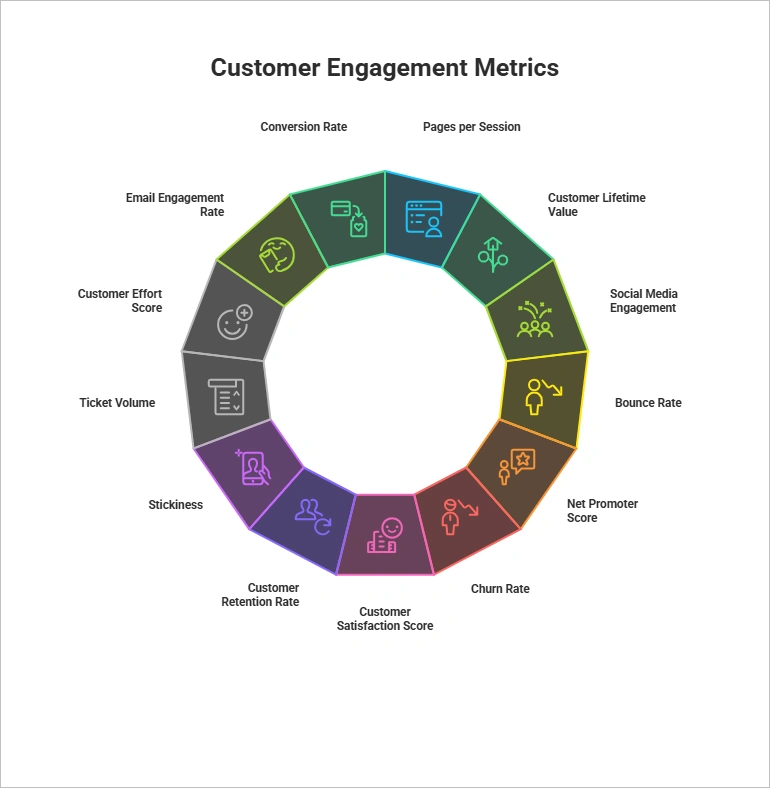
Monitoring customer engagement on WhatsApp Business is crucial for optimising your communication strategy. Use WhatsApp’s built-in metrics to track message delivery rates and read receipts, which provide insights into how well your messages are being received. By identifying patterns in customer interactions, you can tailor future communications to better meet their needs. For instance, if certain customers frequently respond to your messages, engaging with them more often can significantly strengthen those relationships.
It is also important to keep track of frequently asked questions, as this information can help you improve your automated responses. Monitoring customer feedback allows you to gather valuable insights into areas for service improvement, enabling you to refine your offerings. Setting goals for customer engagement will help you measure progress regularly, ensuring that your strategies remain effective.
Testing different messaging strategies can reveal what resonates best with your audience. For example, you might find that customers respond more positively to personalised messages compared to generic ones. You can also use customer engagement data to inform your marketing campaigns and promotions, making them more targeted and relevant.
Encouraging customer interaction through polls or questions in your messages can further enhance engagement. Keeping a record of successful engagement strategies will serve as a useful reference for future campaigns, allowing you to replicate successful tactics. By consistently monitoring and adapting your approach, you can effectively increase customer engagement and ultimately close more deals.
15. Test and Refine Your Approach
 Credits: questionpro.com
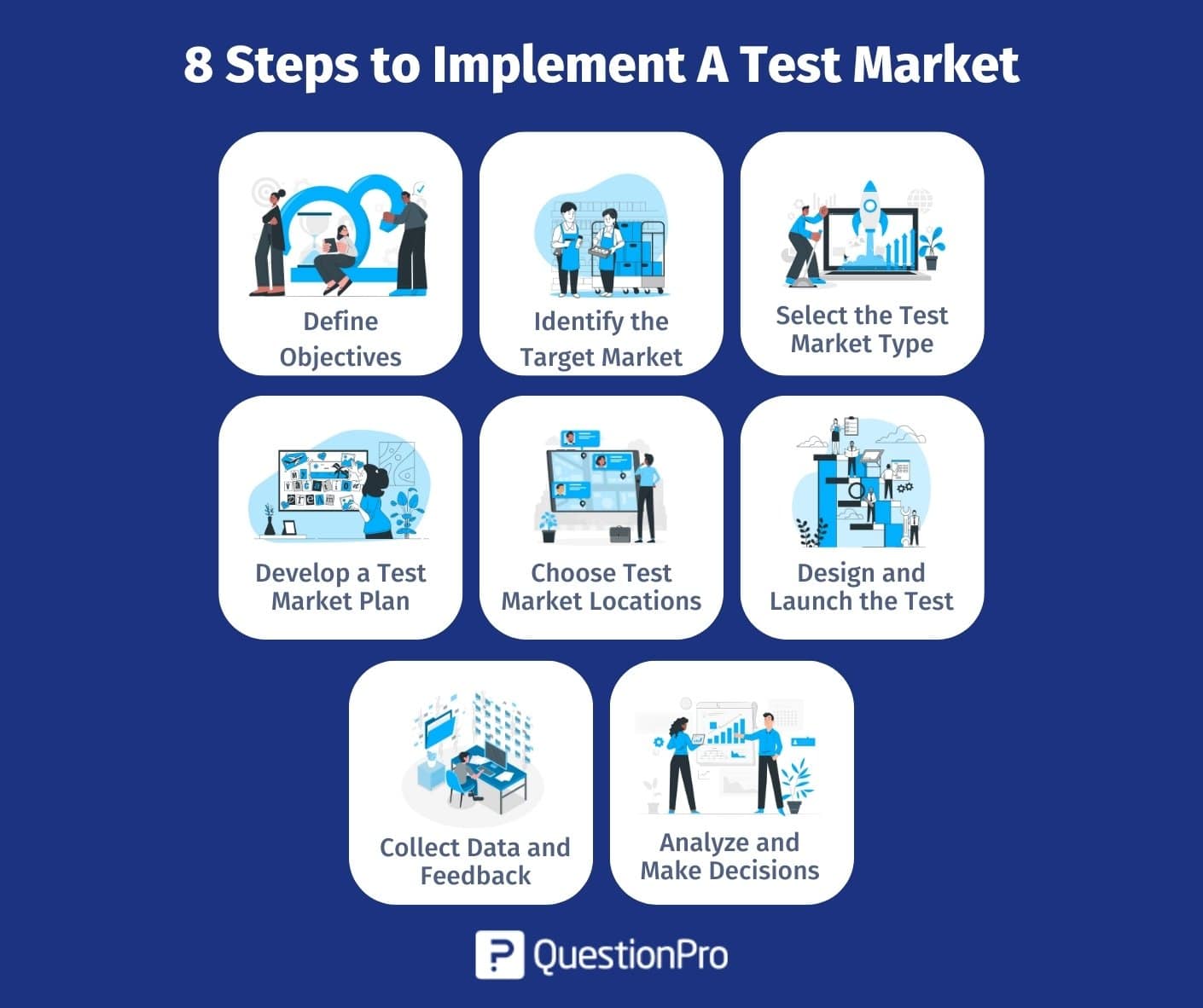
To effectively close more deals using WhatsApp Business, it is crucial to continuously test and refine your approach. Begin by implementing small-scale trials of new strategies to assess their effectiveness. For instance, you might experiment with different types of content, such as videos or images, to determine what resonates best with your audience. Collect feedback from customers after making changes to understand their impact, and adjust your methods based on both performance data and customer responses.
Set specific goals for each test to measure success accurately. A/B testing can be particularly useful in evaluating the most effective wording or timing for your messages. Document the changes you make along with their outcomes, as this will serve as a valuable reference for future strategy sessions. Additionally, reviewing competitor strategies can provide inspiration and ideas for improvement.
Encourage brainstorming sessions within your team to generate fresh ideas for testing. Staying adaptable and willing to pivot your approach based on test results is essential, as it allows your business to respond to evolving customer preferences and market trends.
Frequently Asked Questions
What features does WhatsApp Business offer to help me sell more effectively?
WhatsApp Business provides various features like automated messaging, quick replies, labels for organisation, and a business profile. These tools can enhance communication with customers and streamline your sales process.
How can I promote my products or services using WhatsApp Business?
You can share product images, videos, and catalogues directly through WhatsApp Business. Additionally, sending promotional messages or updates to your contacts can help keep your audience engaged and informed.
Is it possible to integrate WhatsApp Business with other tools or platforms?
Yes, WhatsApp Business can be integrated with various customer relationship management (CRM) systems and other software tools. This integration can help manage customer interactions and data more efficiently.
How can I ensure that my messages reach customers effectively on WhatsApp Business?
To improve message delivery, start by crafting clear, concise messages and selecting the right time to send them. Regularly updating your contacts about new offers and engaging with them can also enhance reach and responsiveness.
What strategies can I use to respond to customer inquiries quickly on WhatsApp Business?
Utilising the quick replies feature allows you to save and reuse messages for frequently asked questions. Setting up automated greetings and away messages can also help in managing customer expectations when you are not available.
TL;DR WhatsApp Business can significantly enhance deal closures for Nigerian businesses. To leverage its potential, set up a professional profile, create a product catalogue, and use WhatsApp Status for promotions. Engage customers through broadcast lists and automate responses for efficient service. Organise customer interactions with labels, maintain communication consistency to build trust, and follow up strategically. Create urgency with timely reminders, integrate with other platforms, and consider using WhatsApp Payments for transactions. Manage your chat efficiently by archiving non-essential conversations, avoiding spam, and monitoring engagement. Finally, continuously test and refine your strategies to optimise engagement and sales.